
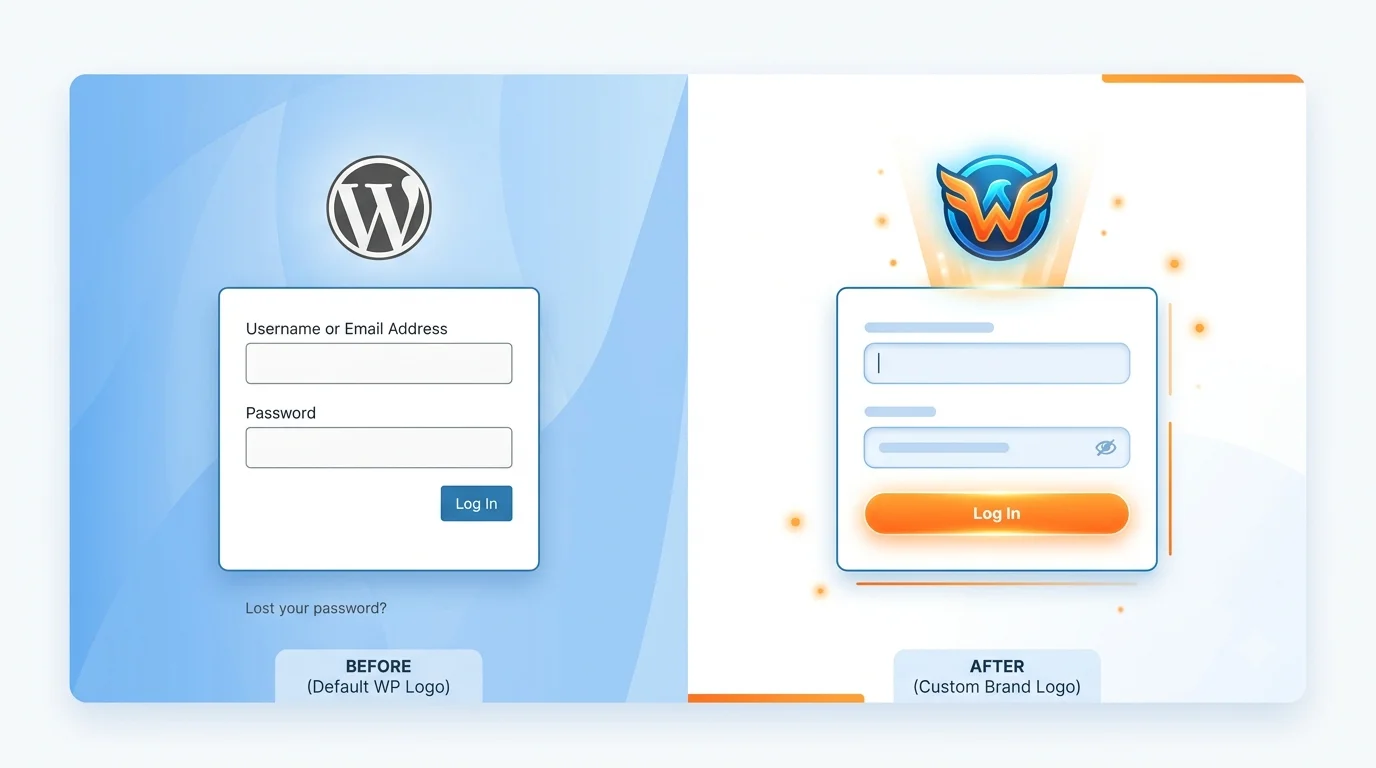
Customize Your WordPress Login Page with Your Brand Logo (No Plugin Needed)
Want to replace the boring WordPress login logo with your own brand logo? Here’s how you can do it in seconds using the logo uploaded via the WordPress Customizer. No plugin required, just clean and efficient code!
👨💻 Add This Code to Your Theme’s functions.php
add_action('login_enqueue_scripts', 'custom_login_logo_from_customizer');

function custom_login_logo_from_customizer() {

    // Get the custom logo ID
    $custom_logo_id = get_theme_mod('custom_logo');

    if ($custom_logo_id) {

        $logo_url = wp_get_attachment_image_url($custom_logo_id, 'full');

        ?>
        <style type="text/css">
            body.login div#login h1 a {
                background-image: url('<?php echo $logo_url; ?>');
                background-size: contain;
                width: 100%;
                height: 80px;
            }
        </style>
        <?php
    }
}

add_filter('login_headerurl', function() {
    return home_url(); // Redirect to site home instead of wordpress.org
});

add_filter('login_headertext', function() {
    return get_bloginfo('name');
});
🎯 What This Code Does
- Pulls the logo from your Customizer settings (Customizer > Site Identity > Logo).
- Replaces the WordPress login logo with your logo.
- Sets the login logo link to your site’s homepage.
- Sets the hover title text to your site’s name.
💡 Bonus Tip: Make sure your theme supports
custom_logo. Most modern themes do.
🔄 Alternative Method: Direct Image URL
If you prefer to use a direct image URL instead of the Customizer logo, use this simpler version:
add_action('login_enqueue_scripts', 'custom_login_logo_direct');
function custom_login_logo_direct() {
    ?>
    <style type="text/css">
        body.login div#login h1 a {
            background-image: url('https://yourwebsite.com/path/to/logo.png');
            background-size: contain;
            width: 100%;
            height: 80px;
        }
    </style>
    <?php
}
🛠️ Troubleshooting
- Logo not appearing? Ensure your logo is uploaded via Customizer > Site Identity > Logo.
- Logo too large/small? Adjust the
heightvalue in the CSS (line:height: 80px;). - Logo not showing on some screens? Add
background-size: contain;andbackground-repeat: no-repeat;.
⚠️ Important: Always use a child theme when modifying
functions.php. Direct modifications to your parent theme will be lost when the theme updates.
🎨 Customizing Further
You can enhance your login page with additional CSS:
add_action('login_enqueue_scripts', 'custom_login_styles');
function custom_login_styles() {
    ?>
    <style type="text/css">
        /* Change background color */
        body.login {
            background: #f0f4f8;
        }

        /* Style the login form */
        .login form {
            border-radius: 10px;
            box-shadow: 0 4px 20px rgba(0,0,0,0.1);
        }

        /* Style the login button */
        .login .button-primary {
            background: #3498db;
            border-color: #2980b9;
        }

        .login .button-primary:hover {
            background: #2980b9;
            border-color: #1a6f99;
        }
    </style>
    <?php
}
📊 Before & After
| Feature | Default WordPress | After Customization |
|---|---|---|
| Logo | WordPress logo | Your brand logo |
| Logo Link | wordpress.org | Your site homepage |
| Hover Text | “Powered by WordPress” | Your site name |
| Plugin Required | N/A | No (code only) |
❓ Frequently Asked Questions
Q: Will this work with any theme?
A: Yes, as long as your theme supports the
custom_logo feature (most modern themes do).Q: What image size should I use?
A: For best results, use a logo with a transparent background and dimensions around 200×80 pixels.
Q: Will this slow down my login page?
A: No, this is lightweight code that only runs on the login page. It won’t affect your site’s performance.
Q: Can I use this with a multisite network?
A: Yes, it works on multisite networks. You’ll need to add it to each site’s functions.php or network-activate it.
🎯 Conclusion
Customizing your WordPress login page with your brand logo is a simple way to create a professional, branded experience for your users. With this code, you’ve achieved:
- ✅ Branded login page
- ✅ No plugin overhead
- ✅ Uses WordPress core functionality
- ✅ Clean and maintainable code
📌 Quick Recap: Add the code to your theme’s
functions.php, upload your logo via the Customizer, and the login page will automatically display your brand logo.